How to Transfer Tether (USDT) on Polkadot
Related concepts
For the underlying concepts, see Asset Hub.
IMPORTANT
Polkadot Developer Interface is a web wallet meant for power users and developers. For everyday use, there are several user-friendly wallets that support a plethora of features and platforms. Discover them in this article.
Tether (USDT) is now available on Polkadot. You can check their official announcements.
USDT was made into a sufficient asset on Polkadot Asset Hub through OpenGov Referendum 80, which means that the receiver account doesn't need to hold an existential deposit in the native DOT token to receive USDT.
However, an account still needs to hold at least the minimum USDT balance , which is 0.01 USDT on Polkadot.
READ THIS FIRST!
Anyone can create an asset on Asset Hub, with any name and symbol. Therefore it is important to make sure you are transferring the official asset, which you can determine by looking at the unique asset ID.
For Tether, this ID is 1984.
For more information on how to verify the legitimacy of an asset you can read this article.
How to transfer USDT
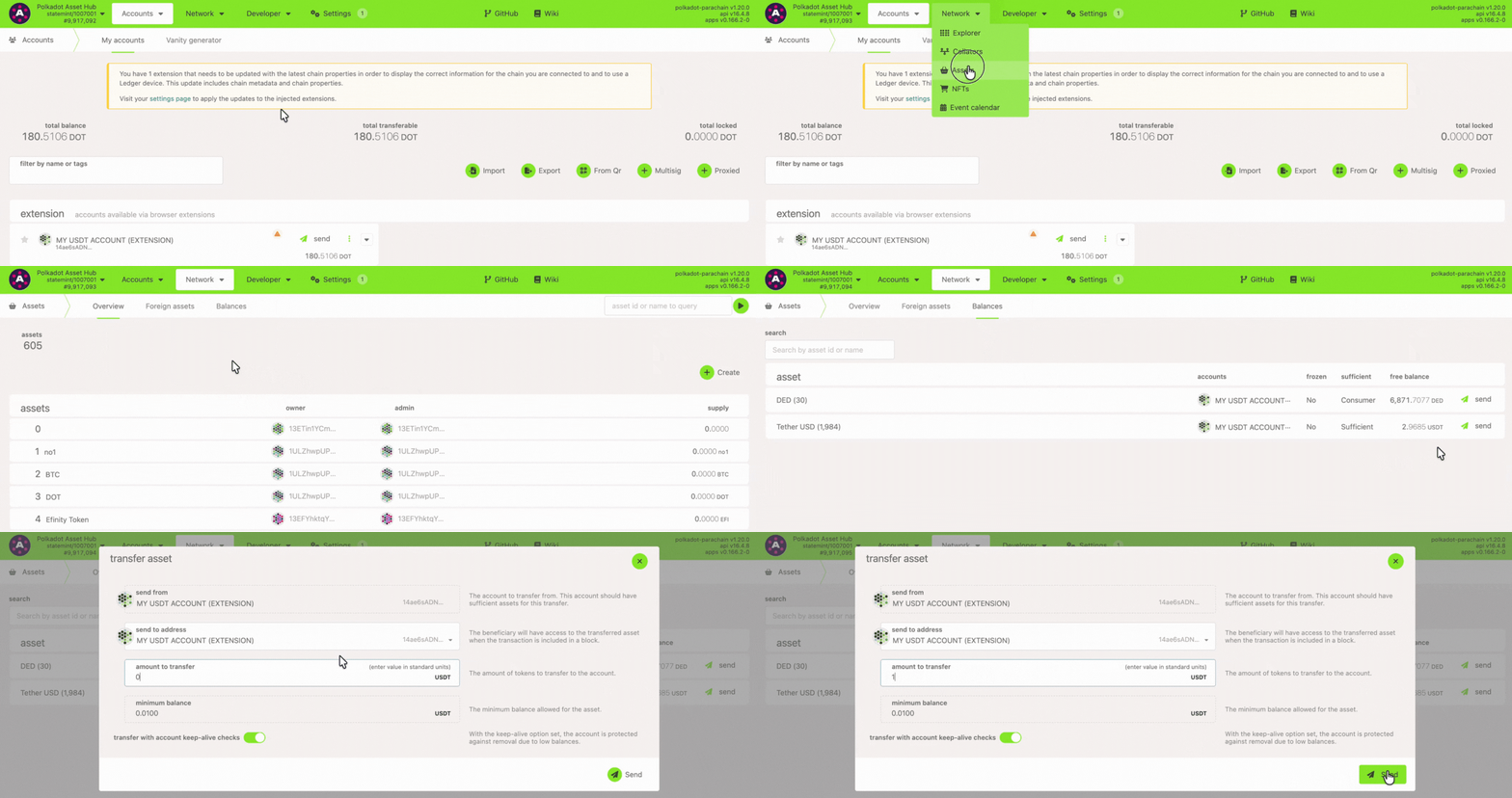
1. Go to Polkadot Asset Hub.
2. Next, navigate to the "Network" > "Assets" page and click on the "Balances" tab.
3. Click the "Send" button. Then enter the receiver address and the amount to transfer.
4. Sign and submit the transaction, and that's it.